
Knowledge Base
Give your agent the facts. The Knowledge Base lets you feed an agent your own content — FAQs, price lists, policies, product details — so it answers accurately from your information instead of guessing. You manage knowledge once at the workspace level, then attach the pieces you want to each agent.
Everything here happens in the dashboard at ultravoice.us.inc — there's nothing to install and no code to write.
Tip: Use the Knowledge Base for facts ("our hours are 9–5", "returns within 30 days") and the system prompt or Handbook for behaviour ("always greet by name", "never argue with a customer").
How knowledge reaches an agent
Knowledge lives in your workspace memory — a shared library any agent in the workspace can draw from. You decide, per agent, which items it should use and how each one is delivered:
| Delivery mode | What it does | Best for |
|---|---|---|
| System Context | Injected straight into the agent's prompt — always available, zero added latency | Small/medium knowledge, rules, FAQs the agent should always know |
| Tool | Registered as a function the agent calls on demand — keeps the prompt lean, adds a short round-trip (~200ms) when used | Large knowledge bases and reference material only needed for certain questions |
You'll choose one of these when you attach an item to an agent (see Attach knowledge to an agent).
Step 1 — Build your workspace knowledge
Open Build → Knowledge Base in the left sidebar. This is the Workspace Memory page — the shared library of everything your agents can reference.
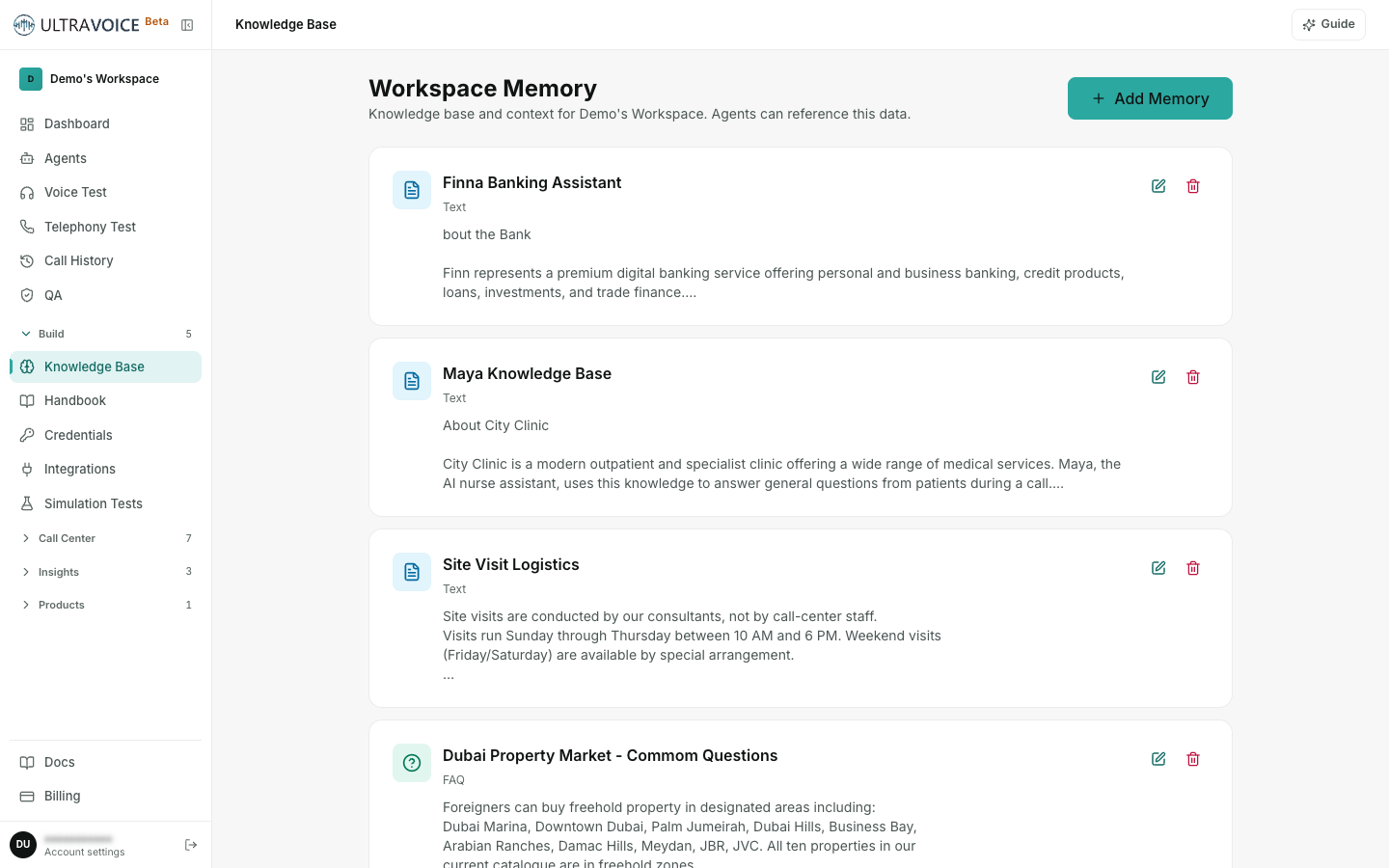
To add an entry:
- Click Add Memory.
- Give it a short, descriptive Title (e.g. "Return Policy", "Product Pricing", "Business Hours") — this is just how you'll recognise it in the list.
- Pick a Type — Text, Instruction, or FAQ (see the table below).
- Write the Content — the actual information the agent should know.
- Click Save.
Your entry appears in the list immediately. Use Edit on any card to change it, or the trash icon to delete it (you'll be asked to confirm).
Entry types
| Type | Use it for | Content tip |
|---|---|---|
| Text | General reference — product catalog, pricing, company facts | Plain text; write it the way you'd explain it to a new hire |
| Instruction | Rules the agent must follow — hours, escalation, tone | One clear rule per line, e.g. "Escalate billing disputes to a human agent." |
| FAQ | Common questions with pre-written answers | Use Q: / A: pairs, e.g. "Q: What are your hours? A: Mon–Fri 9am–5pm EST." |
Content can be long — up to 50,000 characters per entry — but many focused entries are easier to manage (and to attach selectively) than one giant document.
Step 2 — Attach knowledge to an agent
Adding an entry to workspace memory makes it available; attaching it to an agent makes the agent actually use it. Open the agent, then go to its Knowledge Base tab.
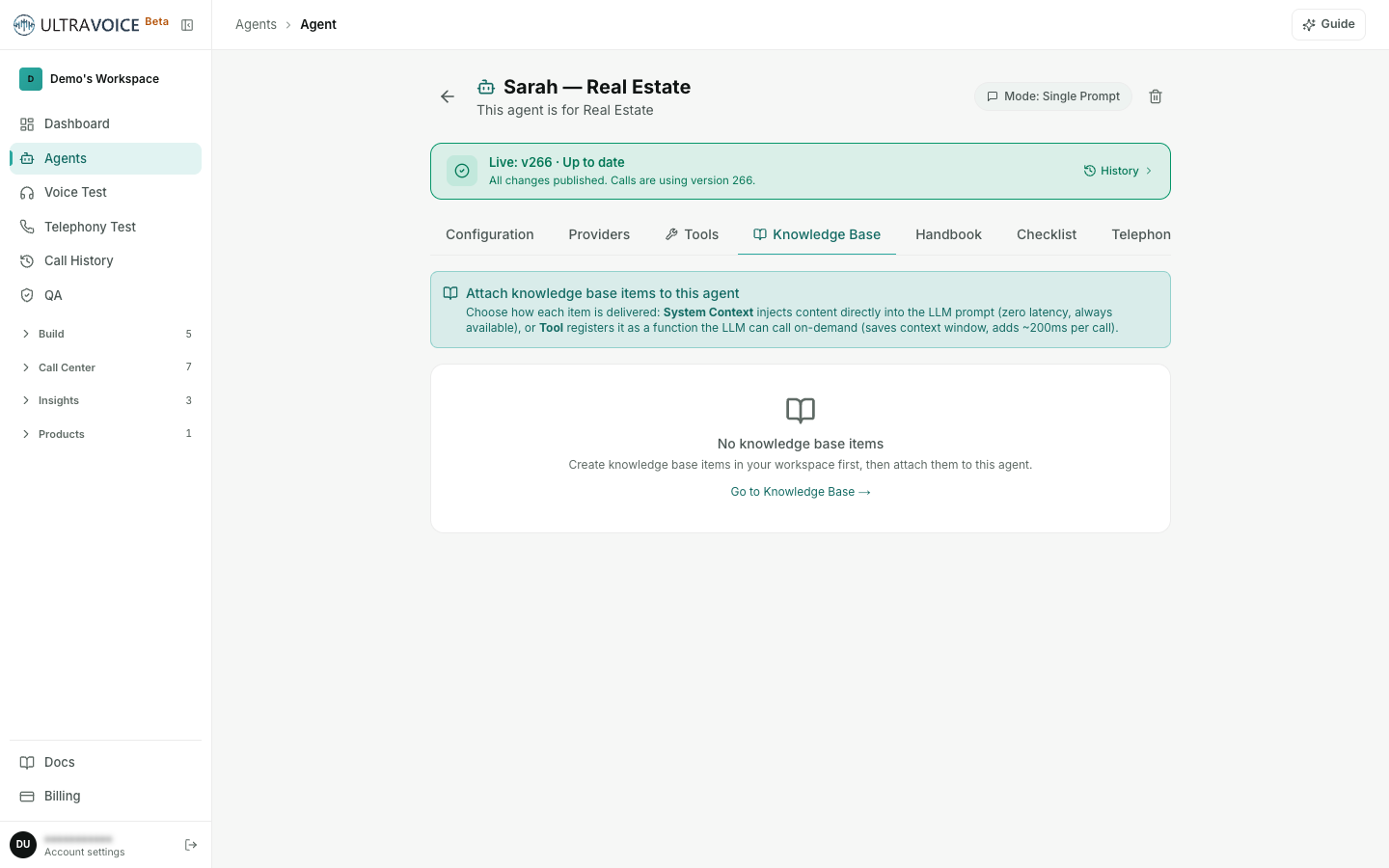
Under Available Items you'll see every active workspace entry that isn't attached yet. For each one, click:
- Context — attach it as System Context (injected into the prompt, always on), or
- Tool — attach it as a Tool the agent calls on demand.
Once attached, the entry moves up to Attached Knowledge, where you can:
- Switch its delivery mode any time with the System Context / Tool dropdown.
- Toggle it on or off with the switch — disable an item to stop the agent using it without detaching it.
- Detach it with the ✕ to remove it from this agent (the entry stays in your workspace library for other agents).
Each attached item shows a small badge — "Injected into prompt — zero latency" for System Context, or "LLM tool — called on demand" for Tool — so you can see at a glance how it's wired.
Don't see anything to attach? You need workspace entries first. The tab links straight to Knowledge Base — go add a couple of items, then come back.
Choosing a delivery mode
- System Context (start here). No extra step, no latency — the agent always has the facts. Ideal for business hours, escalation rules, compliance notes, and a handful of key FAQs. On voice calls where every millisecond matters, this keeps replies fast.
- Tool. The agent only pulls the content when a question actually needs it, keeping its always-on prompt short. Ideal for large or detailed reference material — product specs, long policies — that would otherwise clutter every prompt.
A common setup is a few small System Context items the agent always knows, plus one or two large Tool items it reaches for occasionally.
The Handbook — reusable prompt snippets
The Handbook is a companion to the Knowledge Base, aimed at behaviour rather than facts. Under Build → Handbook you can write reusable prompt snippets — shared policies, tone guidance, disclaimers — and attach them to any agent, so the same wording stays consistent across a whole fleet.
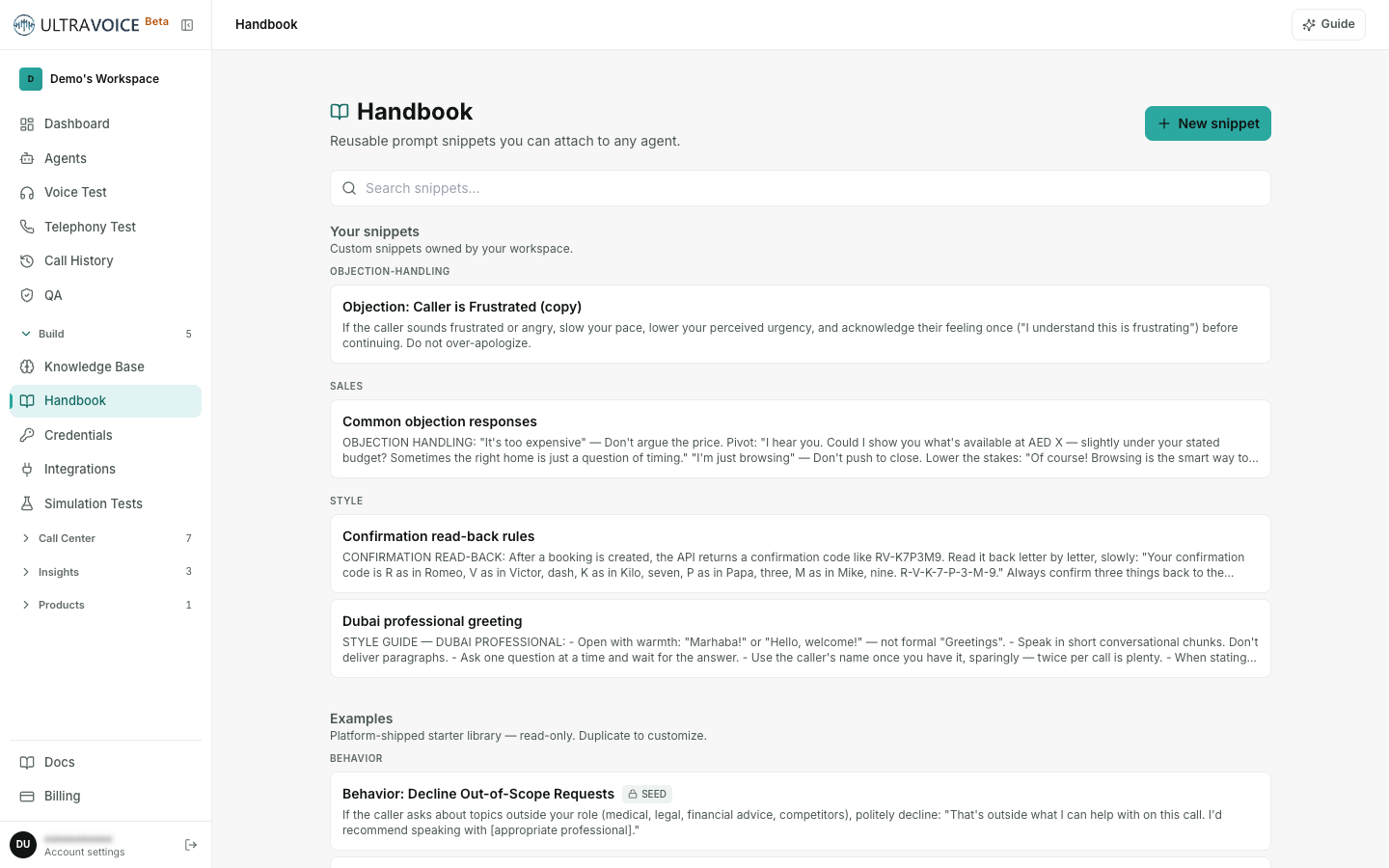
- Open Build → Handbook and click New snippet.
- Write the snippet (e.g. a compliance disclaimer, or your standard greeting style).
- Attach it to an agent from that agent's Handbook tab.
Think of it this way: Knowledge Base = what the agent knows, Handbook = how the agent behaves, and the system prompt ties it all together for that specific agent.
Keeping knowledge up to date
You can add, edit, disable, or delete entries at any time — there's nothing to restart or redeploy. Changes take effect on the next call; allow a couple of minutes for recently cached data to refresh.
- Editing an entry updates it everywhere it's attached.
- Disabling an attached item (the toggle on the agent's Knowledge Base tab) stops that one agent using it, while leaving it available to others.
- Deleting a workspace entry removes it for every agent — you'll be asked to confirm first.
Remember: only agents you've attached knowledge to will use it, and only active entries count. If an agent seems to be missing a fact, check its Knowledge Base tab to confirm the right item is attached and switched on.